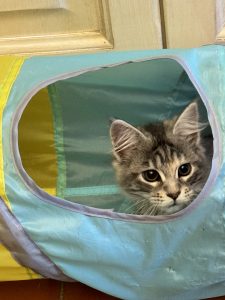
Hi everyone, just a very quick post to say that I am alive (!), very much so…I have just been incredibly busy. And besides, time does really fly! I’m going to be 65 next month…wowsie…And to think I was sure I wouldn’t make it out of my 40s when I was first diagnosed with MGUS 27 years ago, then SMM just a few years later. Well, I have now made it into my mid 60s and still going strong. Yay!
A quick note: I am about to start trying Moringa, which I wrote about in a few oldish posts (do a search and you will find them), because I finally found a reliable (I hope!) source. So, in addition to curcumin, here comes Moringa! Fingers crossed.
Okay, I have to dash off now. I hope everyone is doing well. I will be back at some point, but probably not until the fall, unless I happen upon some extraordinary bit of news concerning myeloma.
The author lists a bunch of the supplements that are very familiar to us by now, such as curcumin (first and foremost) as well as methods (yoga, e.g.) that could be helpful in treating haematological cancers. Indeed.
While Professor Bonucci notes that “further clinical studies must be carried out before these methods can be considered as recommendations for use in the course of haematological pathology,” in the Discussion part he also writes that “These approaches, supported by clinical evidence, can not only help to control disease but also improve response to conventional treatments, providing a more holistic approach to patient care.”
Bingo. There you go. I’ve been saying this for years. Years!
Okay, I have to rest my eye now. Ooooh, I can’t wait for my second cataract to be removed, so I can be done with all this (eye strain headaches, e.g.) and finally return to seeing properly again…and with 20/20 vision! Wowsie!
Take care, everyone! I hope you enjoy reading this study. Ciaoooo!
I’m baaaack!!! Well, no…just sort of. I’m actually typing while using only one eye, my unoperated eye, to be precise. Long, boring story, ho hum, but even though my operated eye is doing extremely well, I won’t really be able to do much with it until I have my second surgery. And so right now I am wearing my old glasses with a pirate eye patch over my new eye, otherwise my vision gets all blurry…headache…etc. This should explain why I won’t be writing a long, rambling post… hehe.
I’m writing today not to talk about my eye but to tell you about a very interesting Indonesian study that I noticed this morning. Here’s the link to the full study, which I will be able to read in full next month: https://caspjim.com/article-1-4177-en.pdf
I managed to read the first part, so here’s the essence. There were two groups of myeloma patients in the study: one group took melphalan, prednisone, and a placebo, the other took melphalan, prednisone, and, tada!, 8 grams of curcumin. And guess what?
After 28 days, the curcumin group had higher levels of serum adiponectin. No idea what that meant, so I looked it up, figuring it was a good thing. And it is. By the way, in case you don’t know, adipose tissue is body fat.
As you can read in the introduction, “Adipose tissue secretes a protein called adiponectin, which has several beneficial effects on the body, including insulin sensitization, anti-inflammatory, anti-atherogenic, pro-apoptotic, and anti-proliferative. A reduction of serum adiponectin levels is associated with the progression of MGUS to myeloma, Adiponectin levels decrease approximately 16-20% among individuals with smoldering myeloma and myeloma compared to healthy adults.”
Therefore, reduced levels of adiponectin “may be associated with progression to myeloma.”
I don’t know about you, but I find this to be fabbbbbulous news, even though the two groups were rather small.
Anyway, I have used my eye enough for the day, so I am going to go rest it while waiting for Stefano to get home from work. I hope you are all fine and dandy! Keep smoldering! Ciao!
I haven’t felt like writing anything in quite some time…well, actually, I’ve written a couple of posts but haven’t published them. But today I decided to publish a post I’ve been adding to, and editing, off and on in the past couple of weeks (!), so you wouldn’t think (aaaagh!) that I had died or was in bad shape. No, no, no, nothing at all like that. I’m fine, health-wise.
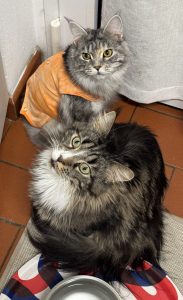
We’ve simply had quite a lot going on…A lot. For starters, two of our cats have big health issues, starting with Poppy and her megaesophagus. Her surgery in Milan was successful, thank goodness, but we’ll still have to be careful about her food intake for the rest of her life…wet food or dry food the consistency of porridge. And, more recently, Pandora, our 7-year-old, has developed some weird intestinal problem. She had an intestinal biopsy done a couple of days ago, so I hope, really hope!, that the problem will be easily fixable…a dietary change, perhaps. Fingers crossed.
And then, as I have mentioned now and again, there is the issue of my cataracts. I have been having more and more trouble spending time at the computer. My eyes get very tired and begin watering, even after just a little while. Luckily, I’m having cataract surgery on Friday, yes, this Friday.
First, they’ll take care of my left eye; then, at the beginning of April, my right eye. The month of March, that is, between surgeries, is going to be tough, since I will see well only with my left eye. Not sure yet how that is going to work out (I’ll probably have to wear a contact lens in the non-operated right eye…what a DRAG!). I’m VERY nearsighted, you see, practically a three-toed sloth 😉 . Oh well, time flies by so fast these days that I’m not really concerned, although I do wish it were May right now. So no worries if you don’t hear from me until spring (May-ish).
I had blood tests done few weeks ago. Still pretty much stable. The only results that concern me are my haemoglobin and hematocrit, which are hovering around the lower end of the normal range. This has been an ongoing issue for the past few years, this “hovering,” I mean. I need to work on that. More iron intake, for starters. But, all in all, I am pleased with these results.
Ah, a bit more news: after years of taking only curcumin, I have decided to begin taking astaxanthin, a carotenoid that is known mainly for its potent antioxidant activity. But it also gives a boost to the immune system and helps activate both white blood cells and NK cells. Not too shabby, eh! But the main reasons for trying something that I posted about back in 2011 (!) are that it may help increase haemoglobin. Yup!
If you do some research on this carotenoid, which I recommend if you are interested in taking it, do have a look at the potential side effects, such as the possible lowering of blood pressure, which means you must be super cautious if you’re taking BP medication. Anyway, I have been taking 5 mg of astaxanthin for the past couple of weeks and will have tests done in a few months…No ill effects thus far.
Nothing much else to report, for now. I hope everyone is doing well! Keep smoldering! 🙂
Hello everyone, I know I know I know! I have had so many things happen since we got back from Scotland at the end of August…and no time for sitting down and writing a post. Well, I did write a sort of post about Scotland, but I never got around to finishing and publishing it.
I am well, very well, I mean in terms of my health. Nothing has changed there, thank goodness. Something else happened, as I am about to tell you.
On May 24 I wrote a post about London and our new Maine Coon kitten, Poppy, who was born with a bunch of problems. When we returned from Scotland, she underwent a bunch of tests that finally identified those problems. The diagnosis was not a good one. The “digestive issues” I mentioned in that post turned out to be caused by megaesophagus, a very rare condition in cats. In a few words, her esophagus was being constricted by a vascular ring anomaly, one she had at birth. This meant that everything she ate wasn’t getting into her stomach fast enough, but remaining and fermenting in her esophagus. So she wasn’t getting the nutrients that kittens need to grow…and in fact she has remained quite small, considering she’s a Maine Coon. Even worse, though, whenever she regurgitated her food, some of it risked slipping into her lungs…And in fact her tests turned up small traces of food in her lungs. Ouch!
I did a lot of research in that period and came up with a temporary solution that helped, even though I knew that it would not solve the problem: an elevated bowl stand, which kept (keeps!) her neck in an upright position while eating. With that tiny change, she finally stopped regurgitating her food. But, as I mentioned, we knew that it wouldn’t last forever.
Poppy before surgery
After consulting with different vets, we knew that she would need surgery to deal with that blasted ring, otherwise she faced a short life of increasing suffering and illness–chronic pneumonia, in particular.
It didn’t take long to find the best vet surgeon in Italy for this type of difficult and dangerous operation. A brilliant surgeon who works in the city of Milan, about a 3.5 hour drive from Florence.
Poppy, yesterday, with her left side all shaved…I took her body suit off for about an hour, here, but she still has to wear it until her stitches completely dissolve.
The three of us left for Milan on November 27, and Poppy went in for surgery the following morning. It took hours, but around lunchtime we got a call from the surgeon himself. Technically, he said, the operation was a success, but the next 48 hours were critical. Two days later, we got the news that she was going to be okay. Happiness, pure happiness!
Stefano, Poppy and I returned to Florence about five days later. She and I then spent a couple of weeks in the guest room (her convalescence period, which still isn’t quite over). She was still weak and had to be kept isolated from our other cats (not as easy as it sounds!).
Last week we let her out of her confinement, and the other cats welcomed her as though she had never left, indeed, those encounters were such a joy to witness. I am so proud of all my cats!
Anyway, Poppy is doing really well, really really well. She still has to eat wet food only, no dry food!, but YAAAAY she is eating like a super hungry horse and gaining weight (instead of losing weight, as was the case before the operation; it is going to take a while, since she lost weight in the postoperative period, of course).
She has almost returned to her normal self, happy, affectionate, and playful, although she understandably hates her body suit, the one that protects her scar (and the stitches that still haven’t dissolved entirely)…but I will take that off in early January.
Poppy and her body suit, and Puffin in the kitchen
Okay, I have to go now and check on my little darling, but I did want to get online and write a quick post to let you know what has been going on for months now. We have been through some very scary times, with difficult decisions to make, but that is all over. We did the right thing: Poppy is still with us. Our little bundle of joy.
Since the Xmas holidays are just a few days away, I wish you all a very happy and healthful holiday season. I hope everyone is okay! Ciao!
I know, I know, we’ve practically been all over Scotland by now. So why are we going there AGAIN? Simple: we just LOVE Scotland!!!
Dinosaur footprints on Skye, August 2018
Can’t wait to leave. It has been and is extremely hot in Florence, unbearably so, so we are looking forward to much much MUCH cooler temperatures.
This summer, we’ll be island hopping in Scotland, some of which we haven’t been yet…We’ll be going to Islay (just to pick up some whisky for hubby), Mull (eagles and all sorts of wildlife…hope to see some otters, too!), then Skye (we’ve been there, but we can’t get enough of Skye, one of the most beautiful places we’ve ever been, in spite of the crowds) and, finally, Harris and Lewis (the Calanais Standing Stones, yaaay!, plus all its gorgeous beaches), then back to Edinburgh, one of my favorite cities in the world.
So I won’t be checking email or the blog until the beginning of September…sorry about that!
I hope everyone is doing well. Take care and have a lovely (rest of) August! See you soon! Ciao!
This is how I want to remember her…healthy and strong…
Pinga is no longer with us. She was quite ill, not just renal insufficiency, a common condition of cats her age, but also some rather serious neurological issues….This afternoon, after doing all we could possibly do, we had her put to sleep, at the vet’s, of course. We were both there when her heart stopped. It was all very peaceful.
We are going to miss her terribly but are thankful that she didn’t suffer.
Well, today is my birthday. How old am I? Hmmm, let me think….Wait a sec, I have almost got it….Just kidding, hehe, I know how old I am: 63.
Poppy, July 2024
63 and counting! After my diagnosis, I didn’t think I’d make it to my mid 40s (when all I knew about myeloma was, well, alarming and scary…not to say that myeloma isn’t scary, of course, but I don’t think about it as much as I did in the past…), so every year that passes is a HUGE deal for me…well, for all of us! Birthdays must be celebrated!
And so this morning, even though this is going to be the HOTTEST day for Florence thus far this summer, I picked up a close friend, and we had a lovely breakfast in one of our favorite pastry shops.
A brief anecdote: as we were walking toward the pasticceria (pastry shop), I noticed a woman (daughter) trying desperately to hold up an elderly woman (her 94 year old mother). She, the daughter, was really struggling, and they were both slipping to the ground. We rushed over to help. A few minutes later one of their neighbours brought out a chair, and we lowered the lady into it. We chatted while waiting for their taxi to arrive. Once we got her mother inside, the daughter blessed us, which was so sweet…I’m an atheist, but I certainly don’t mind getting blessed. So there you go: I even got blessed on my birthday!
Now I’m at home under the ceiling fan, at my computer (planning our trip to Scotland in August). And this evening Stefano and I are going out to dinner. No cellphones. He promised. 😉 Perfect.
Anyway, all is well here. And soon we’ll be in Scotland for 3 weeks…Can’t wait…! Take care, everyone, and…birthday hugs from Firenze, Italia!
These past few weeks haven’t been easy. At all. On June 13 we had to have one of our cats put to sleep: Pixie, only 6.5 years old. We’re still in shock. It happened too quickly.
Studies have shown that losing a beloved pet is like losing a beloved member of the family, and our personal experience with cats (we’ve lost seven over the years) certainly confirms that. Stefano still can’t mention Pixie’s name without getting all choked up, and I have only just stopped waking up, screaming her name inside my head. We weren’t ready…that is, if you can ever be ready for something like this…
The last photo I took of Pixie, at home, on Sunday, June 9.
Truth be told, I want to forget what happened in Pixie’s last few hours at the vet hospital. I want to remember her as the wonderful, beautiful, loving cat that she was…By the way, that’s her photo on the blog header. She always had a look of total surprise on her face, and she was the gentlest cat ever. We miss her so much. Ci manchi tanto, amore bello!
Changing the subject, we were supposed to be in Scotland this week, photographing puffins and razorbills and gannets. We had booked that trip months ago. But we had to cancel because Stefano had to be in Florence this week, for work, of course. No problem, since we decided to return to Scotland for three whole weeks in August. Ah yes, we love Scotland…
Okay, I should go now. Lots of things to do. I’ll try to write soon…on happier notes, I hope. Stay well, everyone! Ciao!
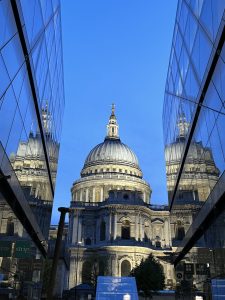
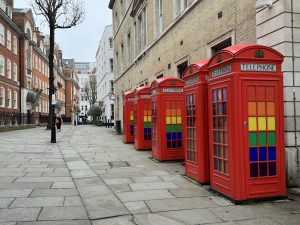
So much has happened that I hardly know where to begin. Well, okay, obviously, from our fabulous trip to London. Oh that was so much fun! We walked at least 12 kilometres a day. London has a very good transportation system, but you miss a lot unless you walk…and so we walked.
Notting Hill
While Stefano and our friends had to return to Florence after 4 days to go back to work, I stayed on for three more days, so I had a full week in London, alone. I returned to Florence on our 25th wedding anniversary. Wow, 25 years (not counting the two years plus that we lived together)! We’re going to celebrate our anniversary properly next month, with a trip to see our beloved puffins and other sea birds at the same place we were last year, north of Edinburgh (isle of May plus Bass Rock for the gannets).
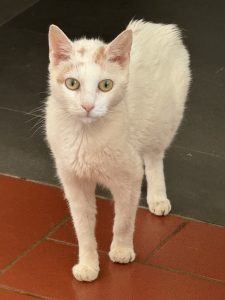
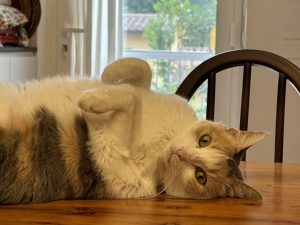
Here’s a big bit of news: we are back up to eight cats again. No kidding. I really didn’t want another cat, especially a KITTEN…
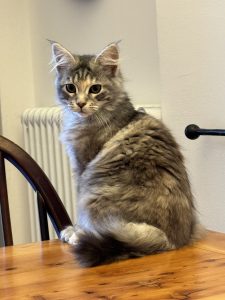
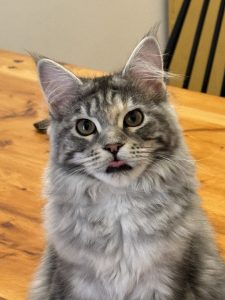
But she was a gift, and we couldn’t say no to that little face, see below. She’s a teeny tiny Maine Coon female…
She has a few problems, caused by being sort of crushed while in the uterus by a bigger brother who was born dead, unfortunately, so, for example, her tail is broken in two places and looks more like a fluffy rabbit tail than anything else. I hope that won’t be an issue (cause her any pain, I mean) as she gets older, but for now it doesn’t stop her from all the usual kitten zoomies, not at all…
More importantly, she has a few digestive issues, again caused by her having been crushed. We can’t feed her dry food, for example, because she will spit it up afterwards. To avoid that, I prepare smoothies for her–a mixture of blended dry food for kittens and water. So far, so good. No throw-ups. Again, I hope that this is a problem that will be solved in time, as she grows older. Too early to tell now…
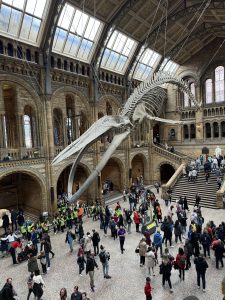
Natural History Museum, always interesting…
We named her Poppy, after Poppy Pomfrey, the Healer in Harry Potter. 😉 She is really adorable, a little bundle of joy, quite small for her age but with a huge personality. The other cats have accepted her, even though, for the first few days, most of them hissed and even growled at her, probably hoping that if they made a lot of noise, she would disappear. But no, she didn’t disappear, and now they seem to be okay with the new addition to the family.
I even saw Petunia licking her head the other day, and Puffin follows her around like a puppy…
She has certainly given the other cats something to think about… 🙂
For example, they don’t sleep as much during the day because they’re too busy watching her play, the way we watch a fascinating TV series…So funny.
Hmmm, she looks huge in the first photo…but I assure you, she’s tiny…
Oh dear, I have to go now. I hope everyone is doing well…please keep in touch with me! Ciao!
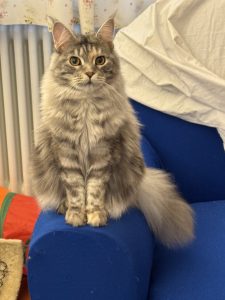
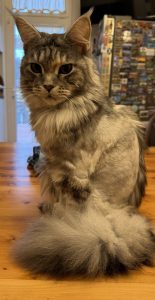

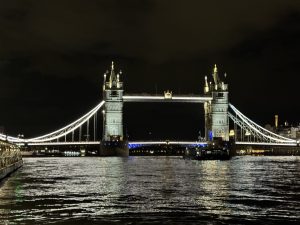 So much has happened that I hardly know where to begin. Well, okay, obviously, from our fabulous trip to London. Oh that was so much fun! We walked at least 12 kilometres a day. London has a very good transportation system, but you miss a lot unless you walk…and so we walked.
 Here’s a big bit of news: we are back up to eight cats again. No kidding. I really didn’t want another cat, especially a KITTEN…